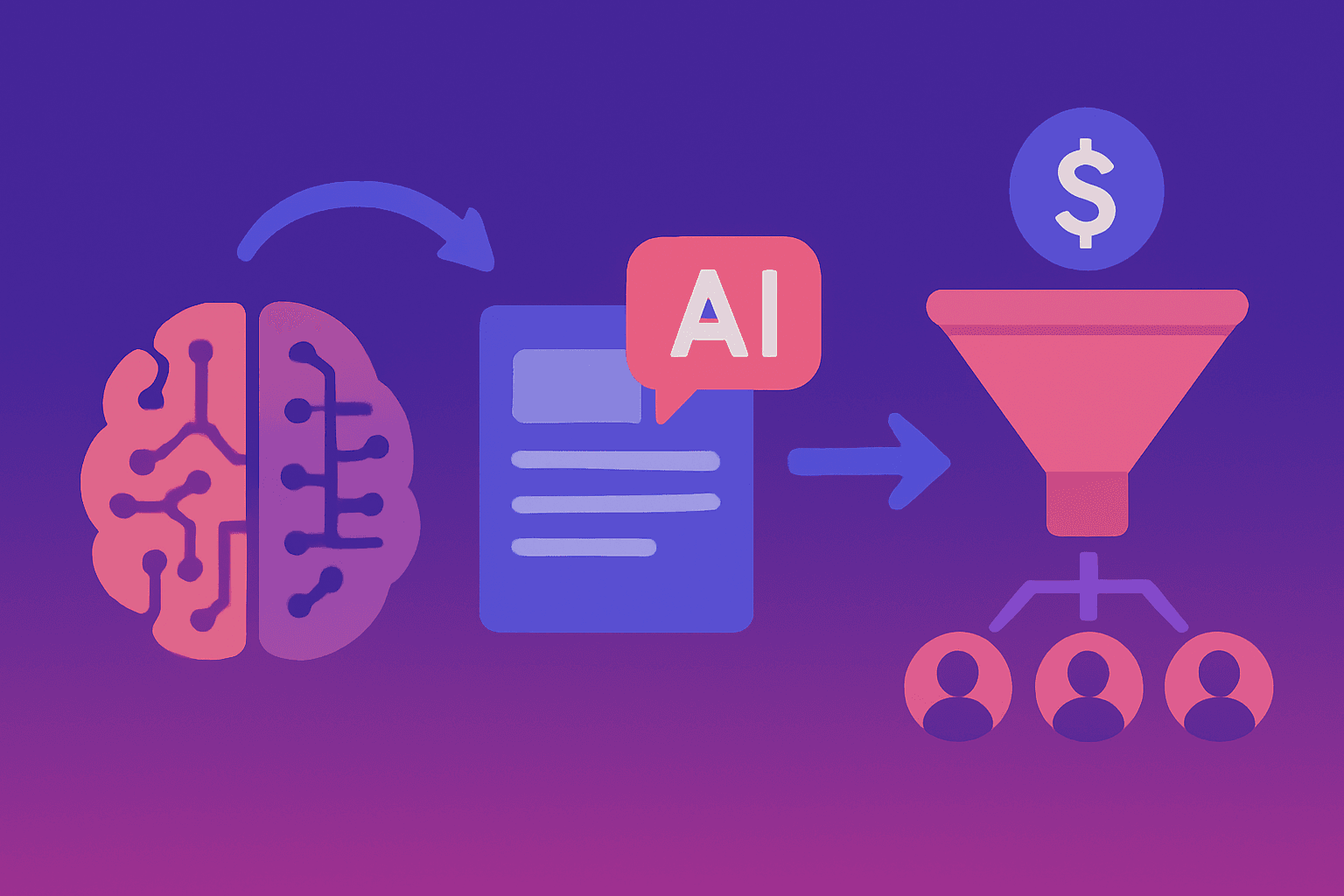
How to Build AI Lead Magnets That Actually Convert (With 7 Proven Examples)
Your lead magnet sucks.
I'm sorry to be blunt, but it's probably true.
You offer a "Free Guide to [Whatever]" or a "10-Point Checklist" and wonder why your opt-in rate is stuck at 2%.
Meanwhile, someone else in your industry is converting at 23% with what looks like the same traffic.
What's the difference?
They stopped treating lead magnets like downloadable PDFs and started treating them like conversations.
Let me show you exactly what's broken about traditional lead magnets - and more importantly, how to build interactive, AI-powered lead magnets that don't just capture emails, they start genuine interactions that actually lead to sales.
The Death of the PDF Lead Magnet
Remember 2015? When offering a free PDF guide felt innovative?
Those days are gone.
Here's what happens with your traditional lead magnet:
- Visitor sees offer: "Download our Ultimate Guide to [Topic]"
- Fills out form (with fake email 40% of the time)
- Gets PDF sent to their inbox
- Never opens it
- Never remembers your brand
- Definitely never buys
Result: You have an email address for someone who will never engage with your content or buy your product.
Congratulations on your vanity metric.
The problem isn't that lead magnets don't work anymore. It's that static, one-size-fits-all lead magnets don't work anymore.
Today's buyer expects:
- Instant value (not "download and read later")
- Personalization (not generic advice)
- Interaction (not passive consumption)
- Specific answers (not broad overviews)
They don't want your 47-page PDF. They want a solution to their specific problem. Right now.
That's where AI-powered, interactive lead magnets come in.
What Makes a Lead Magnet Actually Convert in 2025
Before we dive into specific examples, let's establish the framework for what works:
The Three Laws of Modern Lead Magnets
Law #1: Value Before Capture
Traditional approach: Gate everything behind an email form.
Modern approach: Give value first, then ask for contact info.
Why this works: People are email-fatigued. They've been burned by too many "free guides" that were thinly disguised sales pitches.
When you give genuine value before asking for anything, you:
- Build immediate trust
- Demonstrate actual expertise
- Create reciprocity (they feel obliged to engage)
- Eliminate the "was this worth it?" buyer's remorse
Example:
❌ Bad: "Enter your email to access our ROI calculator"
✅ Good: [Let them use the calculator] → After they get results: "I can send a detailed breakdown to your email if you'd like to save this for later."
They've already gotten value. Now the email ask isn't a barrier - it's a convenience.
Law #2: Personalization at Scale
No two prospects have the exact same problem.
A generic "Ultimate Guide" treats everyone identically. An intelligent lead magnet adapts to each person's specific situation.
Why this works: Studies show that data-driven personalization delivers 5-8x ROI on campaign spend. Personalized content creates experiences that are 5-8 times more effective than generic content.
Example:
❌ Bad: "Here's a guide covering 37 different scenarios (figure out which applies to you)"
✅ Good: "Tell me about your specific situation..." → System asks 3-4 qualifying questions → Generates custom recommendations just for them
One person gets advice for enterprise SaaS. Another gets advice for local services. Same lead magnet, completely different outputs.
Law #3: Conversion is a Conversation, Not a Download
Static PDFs end the relationship. Interactive experiences begin a new one.
Why this works: Every question you ask, every answer you provide, is an opportunity to:
- Learn more about the prospect
- Demonstrate expertise
- Build rapport
- Guide them toward your solution
- Identify buying signals
- Capture context for follow-up
Example:
❌ Bad: Download guide → Prospect disappears into email abyss → You send generic drip campaign → They ignore it
✅ Good: Interactive experience → Prospect engages with multiple questions → System understands their needs → Follow-up is contextual and specific → They actually respond
The 7 Types of AI Lead Magnets That Convert (With Real Examples)
Let me show you seven proven formats you can implement today.
Type #1: The Intelligent Assessment
What it is: Instead of a static quiz, create an AI-powered assessment that asks smart follow-up questions based on previous answers.
Why it works: People love learning about themselves. Assessments create engagement, capture detailed information, and generate personalized insights that feel valuable.
How to build it:
Bad version (static quiz):
- "Question 1: What's your company size? A) 1-10, B) 11-50, C) 51-200, D) 200+"
- "Question 2: What's your industry?"
- "Question 3: What's your biggest challenge?"
- → Generic result: "Based on your answers, you should focus on [broad category]"
Good version (intelligent assessment):
Opening: "Let's figure out the biggest bottleneck in your sales process. This will take about 3 minutes."
Q1: "How many leads are entering your pipeline each month?"
User: "About 200"
Q2: "And how many of those turn into meetings?"
User: "Maybe 30"
AI notices low conversion: "That's a 15% meeting rate - there might be some leakage there. When someone expresses interest, how quickly does your team typically respond?"
User: "Usually within a few hours"
AI identifies the problem: "Got it. Research shows that responding within 5 minutes increases conversion 21x compared to even 30 minutes. Let me show you exactly where you're losing leads..."
→ Personalized report showing:
- "You're losing an estimated 85 qualified leads per month to slow response time."
- "At your average deal size ($X), that's $Y in lost revenue monthly"
- "Here are the three changes that would have the biggest impact for a company your size in your industry..."
→ CTA: "I can send this detailed analysis to your email along with our implementation roadmap. Where should I send it?"
The result: They've received genuinely useful insights specific to their situation. The email ask feels like a natural next step, not a barrier.
What you capture:
- Email (for follow-up)
- Lead volume data
- Conversion rates
- Response time
- Specific pain points
- Quantified problem (for sales context)
Type #2: The ROI Calculator That Sells Itself
What it is: An interactive calculator that shows prospects the financial impact of solving their problem - ideally with your solution.
Why it works: C-suite and decision-makers care about one thing above all: Return on investment. Show them the numbers, and you're speaking their language.
How to build it:
Bad version:
- Static form asking for generic inputs
- Spits out a number
- No context or explanation
- Doesn't connect to your actual product
Good version:
Step 1 - Current state questions:
- "How many sales reps do you have?"
- "What's their average quota?"
- "What percentage typically hits quota?"
- "How much time do they spend on administrative work vs. selling?"
Step 2 - AI calculates waste: "Based on your inputs, your team is spending 487 hours per month on tasks that could be automated. At your team's average fully-loaded cost, that's $43,200 per month in wasted productivity."
Step 3 - Show the solution impact: "If you automated lead qualification, meeting scheduling, and follow-up sequences, your team could:
- Redeploy those 487 hours to actual selling
- Talk to 73 more qualified prospects per month
- Close an estimated 22 additional deals per month (at your 30% close rate)"
Step 4 - The payoff: "At your average deal size of $8,000, that's $176,000 in additional monthly revenue.
Your investment in automation: $79/month Your return: $176,000/month ROI: 22,215%
Payback period: 3.2 hours"
Step 5 - The contextual ask: "Want me to send this analysis to your email along with a breakdown of exactly what to automate first?"
The result: You've just made your product's value crystal clear using their numbers. This isn't a pitch - it's a financial analysis.
What you capture:
- Company size
- Revenue data
- Current inefficiencies
- Quantified cost of inaction
- Their own conclusion that they need your solution
Type #3: The Diagnostic Tool
What it is: Like a doctor diagnosing symptoms, this helps prospects identify what's wrong with their current setup.
Why it works: Most prospects don't actually know what their real problem is. They know symptoms ("we're not getting enough leads") but not the root causes ("your conversion rate is fine; your traffic quality is the issue").
How to build it:
Opening: "Let's diagnose why your lead generation isn't working. I'll ask a few questions and pinpoint the exact bottleneck."
Q1: "How much traffic does your website get monthly?"
User: "About 5,000 visitors"
Q2: "How many of those fill out a contact form or engage with your team?"
User: "Maybe 50"
AI calculates: "So you're converting 1% of visitors to leads. Industry benchmark for B2B SaaS is 2-5%. Let's figure out where the disconnect is..."
Q3: "Do you have any way to engage visitors who don't fill out a form?"
User: "Not really, just contact forms"
Q4: "What happens after someone fills out the form?"
User: "Sales gets notified and usually follows up within a day"
AI diagnosis: "I found your problem - actually, two problems:
Problem #1: Passive Lead Capture You're only capturing the 1% who are ready to fill out a form. The other 99% leave without engaging because there's no way to ask questions or start a conversation.
Fix: Add interactive engagement that meets visitors where they are in the buying journey.
Problem #2: 24-Hour Response Time For the leads you DO capture, a 24-hour response time means you're losing 60-70% to competitors who respond faster.
Fix: Automate instant response and qualification so every lead is engaged within seconds.
If you fix both, here's what changes:
- Lead capture: 1% → 3.5% (+125 extra leads/month)
- Lead-to-meeting conversion: 20% → 45% (+56 extra meetings/month)
- Total revenue impact: +$224,000/month at your close rate and deal size
Want the detailed action plan sent to your email?"
The result: You've identified their specific problems, explained exactly what's broken, and shown the financial impact of fixing it.
What you capture:
- Traffic volume
- Current conversion rates
- Sales process details
- Response times
- Proof that they need exactly what you sell
Type #4: The Competitive Comparison Tool
What it is: Help prospects compare their options objectively - including yours.
Why it works: They're going to compare options anyway. By facilitating that comparison transparently, you:
- Control the narrative
- Demonstrate confidence
- Build trust through honesty
- Highlight your differentiators strategically
How to build it:
Opening: "Comparing sales automation tools? Let's make sure you're evaluating the right criteria."
Q1: "What's most important to you? (Rank these)"
- Price
- Ease of setup
- Advanced AI capabilities
- Integration ecosystem
- 24/7 automation
- Meeting booking features
Q2: "What's your budget range?"
- Under $100/month
- $100-500/month
- $500-2000/month
- Enterprise pricing
Q3: "Do you need this to work 24/7 without human involvement, or is it okay if it only works during business hours?"
AI generates comparison:
"Based on your priorities (24/7 automation, meeting booking, under $100/mo), here's how the top 3 options compare:
Option A (Basic Chatbot Tools): ✅ Cheap ($20-50/month) ❌ Requires frequent human takeover ❌ No intelligent meeting booking ❌ Basic lead capture only
Option B (Enterprise Platforms): ✅ Comprehensive features ✅ Advanced AI ❌ $2,000+/month (over your budget) ❌ 6-week implementation ❌ Requires dedicated admin
Option C (Quollie): ✅ Premium pricing (from $79) ✅ 24/7 autonomous operation ✅ Intelligent lead intent recognition and scoring ✅ Easy human handoff ✅ Automatic meeting booking ✅ Dedicated email sequences ✅ 5-minute setup ❌ Fewer enterprise integrations than Option B
For your situation (budget-conscious, need fast deployment, 24/7 automation), Option C aligns best with 4/5 of your priorities.
Want me to send a detailed feature matrix?"
The result: You've been honest about trade-offs, positioned yourself strategically, and helped them make a decision - while making it clear your product fits their needs.
What you capture:
- Their priorities
- Budget constraints
- What they're comparing you against
- Why they're considering alternatives
- Objections to address
Type #5: The Configuration Builder
What it is: Instead of showing all your features, let prospects build exactly what they need and get custom pricing.
Why it works: Removes the "is this right for me?" question by letting them design their own solution.
How to build it:
Opening: "Let's build your perfect sales automation setup."
Q1: "What do you want to automate?" (Select all that apply)
- Lead capture and qualification
- Meeting scheduling
- Email nurture sequences
- Follow-up reminders
- Payment processing
- CRM integration
Q2: "How many team members will use this?"
- Just me
- 2-5 people
- 6-20 people
- 20+ people
Q3: "Which integrations do you need?"
- [List of tools with checkboxes]
AI builds custom package:
"Based on your selections, here's your custom configuration:
Your Setup:
- Lead capture + qualification: ✅
- Automated meeting booking: ✅
- Email nurture sequences: ✅
- Google Calendar integration: ✅
- Payment processing across different providers(Stripe, DodoPayments, Polar, etc): ✅
Your pricing: $79 monthly (or $2970 one-time)
Setup time: 5 minutes
Expected results:
- 3.5x more qualified leads captured
- 87% reduction in scheduling time
- 24/7 operation
- Average ROI: 67 days
Ready to set this up? I can send your custom configuration and setup guide to your email."
The result: They've designed their own solution. Now they're emotionally invested in implementing it.
What you capture:
- Specific features they need
- Team size (company size indicator)
- Tool ecosystem
- Budget expectations
- Use case
Type #6: The Success Predictor
What it is: Analyze their current situation and predict their probability of success with different approaches.
Why it works: Everyone wants to know their odds. This creates urgency around the highest-probability approach.
How to build it:
Opening: "Let's calculate your probability of hitting your sales goals with your current approach."
Q1: "What's your monthly revenue goal?"
Q2: "What's your average deal size?"
Q3: "What's your current close rate?"
Q4: "How many qualified leads are entering your pipeline each month?"
AI calculates probability:
"Based on your inputs, here's your forecast:
Current Trajectory:
- Leads needed per month: 67
- Leads you're generating: 34
- Probability of hitting goal: 51%
You're on track to fall short by $23,000/month.
Here's what changes under three scenarios:
Scenario A: Do nothing
- Success probability: 51%
- Expected shortfall: -$23,000/month
Scenario B: Double your marketing spend
- Success probability: 73%
- Expected shortfall: -$6,200/month
- Additional cost: $3,000/month Scenario C: Improve lead conversion with automation
- Success probability: 94%
- Expected surplus: +$8,700/month
- Additional cost: $149/month
Scenario C gives you the highest probability of success at the lowest cost.
Want the detailed breakdown and implementation plan?"
The result: You've made your solution the obvious choice using their own data and goals.
What you capture:
- Revenue targets
- Current performance
- Deal economics
- How far they are from their goals
- Proof that they need to change something
Type #7: The Personalized Resource Generator
What it is: Instead of a generic guide, generate a custom action plan, checklist, or roadmap specific to their situation.
Why it works: Generic advice is worthless. Specific, customized advice is invaluable.
How to build it:
Opening: "Let's create your personalized sales automation roadmap."
Q1: "What's your industry?" Q2: "What's your primary sales challenge right now?" Q3: "How technical is your team?" Q4: "What's your implementation timeline?"
AI generates a custom 30-day roadmap:
"Here's your personalized automation roadmap for [their industry]:
Week 1: Lead Capture
- Add conversational AI to your [specific pages based on their industry]
- Set up qualification questions for [specific use case]
- Expected result: 2x more qualified leads captured
Week 2: Automated Follow-Up
- Create 3 nurture sequences for [their specific personas]
- Set behavioral triggers based on [their customer journey]
- Expected result: 45% better email engagement
Week 3: Meeting Automation
- Connect your calendar and enable instant booking
- Create meeting reminder sequences
- Expected result: 3x faster time-to-meeting, 60% fewer no-shows
Week 4: Optimization
- Review conversation analytics
- A/B test qualification questions
- Expected result: 20% improvement in lead quality
Based on companies similar to yours, you should see ROI within 21 days.
I can send this roadmap to your email along with setup checklists for each week."
The result: You've given them a concrete, actionable plan. Following it means implementing your solution.
What you capture:
- Industry
- Current challenges
- Technical capabilities
- Timeline
- Specific use case
The Psychology Behind Why These Work
Let's talk about why interactive AI lead magnets convert at 5-10x the rate of traditional PDFs.
Principle #1: The Endowment Effect
Once someone has invested time answering questions and receiving personalized results, they feel ownership over those insights.
Downloading a PDF: 30 seconds of effort, zero personalization, disposable.
Using an interactive tool: 3-5 minutes of effort, highly personalized output, feels valuable because they helped create it.
They're exponentially more likely to take action on something they feel they've invested in.
Principle #2: Reciprocity Triggers
When you give genuine value before asking for an email, you trigger reciprocity - the psychological principle that people feel obliged to return favors.
PDF behind email gate: You haven't given them anything yet. They're skeptical.
Interactive tool first, email ask second: You've already helped them. The email feels like a fair exchange.
Principle #3: Pattern Interruption
Everyone offers the same boring PDFs. When you offer something actually interactive and useful, you stand out.
Standing out isn't just about attention. It's about positioning. You're signaling: "We do things differently here."
That impression carries through the entire sales process.
Principle #4: Specificity Creates Trust
"Download our Ultimate Guide to Sales Automation" = Generic, could apply to anyone, probably surface-level.
"Based on your answers, you're losing $43,200/month to inefficient processes. Here's your custom plan to fix it." = Specific, relevant, demonstrates expertise.
Specificity is a trust signal. Generic is a spam signal.
Implementation: How to Build Your First AI Lead Magnet
Ready to create one of these? Here's your step-by-step process:
Step 1: Choose Your Format
Based on your audience and business model, pick the format that makes the most sense:
- High-consideration B2B: ROI Calculator or Diagnostic Tool
- Technical products: Configuration Builder or Competitive Comparison
- Complex solutions: Intelligent Assessment or Success Predictor
- Service businesses: Personalized Resource Generator
Step 2: Map Your Qualification Questions
What do you need to know to:
- Determine if they're qualified
- Personalize the output
- Provide genuine value
- Inform your sales follow-up
Write out 5-8 questions that accomplish all four goals.
Step 3: Design the Value Delivery
What will they receive that makes answering those questions worth it?
- Custom analysis of their situation?
- Quantified cost of inaction?
- Personalized roadmap?
- Comparison of their options?
The value must be:
- Specific to their inputs (not generic)
- Actionable (not just interesting)
- Substantive (not superficial)
Step 4: Craft the Email Ask
After they've received value, the email ask should feel natural:
❌ Bad: "Enter your email to see results"
✅ Good: "I can send this analysis to your email along with [additional value]. Where should I send it?"
The email is a convenience, not a barrier.
Step 5: Build Your Follow-Up Sequence
You've captured context. Use it.
Immediately after opt-in: "Here's your [deliverable] plus three additional resources based on what you told me: [specific resources related to their answers]"
Day 3: "Quick follow-up on your [specific result]. Most people in your situation focus on [thing they indicated was a priority]. Have you had a chance to [specific action]?"
Day 7: "I noticed you [specific behavior from their assessment]. Companies similar to yours typically see the biggest impact by [specific advice]. Want to talk through your specific situation? I have [time] or [time] available."
Every message references their specific inputs and results.
Step 6: Track and Optimize
Measure:
- Completion rate (how many start vs. finish)
- Email capture rate
- Response to follow-up emails
- Conversion to meeting/demo
- Closed deals attributed to this lead magnet
Test different:
- Opening questions
- Output formats
- Email ask phrasing
- Follow-up messaging
Common Mistakes to Avoid
I've seen people botch this in predictable ways. Don't do these things:
Mistake #1: Asking for Email Too Early
If you gate the entire experience, you're just building a fancy email form. Give value first.
Mistake #2: Making It Too Long
3-5 minutes is perfect. 10+ minutes and people abandon. Respect their time.
Mistake #3: Generic Outputs
If your "personalized assessment" could apply to anyone, it's not personalized. Use their specific inputs in the output.
Mistake #4: No Clear Next Step
After they get results, what should they do? Be explicit:
- "Here are three resources to start with"
- "Want to talk through your specific situation? Book time here"
- "Next step: Implement week 1 of your roadmap"
Mistake #5: Forgetting to Follow Up
You captured an email for a reason. Use it. Send contextual, helpful follow-up based on their results.
Mistake #6: Over-Complicating the Tech
You don't need custom development. Many tools exist to build interactive experiences. Start simple.
The Bottom Line: PDFs Are Dead, Conversations Are King
The era of the generic lead magnet is over.
Nobody wants your 47-page PDF that they'll never read.
They want:
- Answers to their specific questions
- Analysis of their unique situation
- Recommendations tailored to their needs
- Value delivered instantly, not eventually
AI-powered, interactive lead magnets provide all of that - and they capture infinitely more useful information than a PDF download ever could.
The question isn't whether you should make this shift.
The question is how much longer you can afford to keep using lead magnets from 2015 in a 2025 market.
Want to see what an intelligent lead magnet looks like in action? Try Quollie's built-in lead magnet tools that turn website visitors into qualified leads automatically. Start your 30-day trial →